How to tell your parents you're pregnant at Christmas
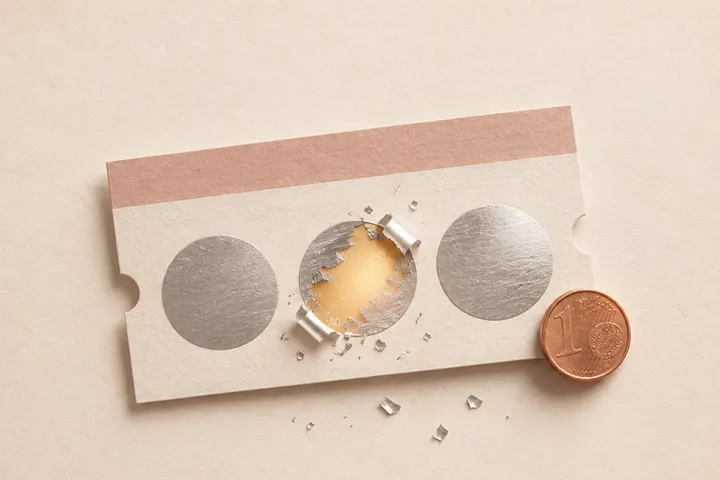
Give it to them as one more gift: a framed ultrasound under the tree, a tiny stocking on the mantel or a scratch-off card that reads “You're going to be grandparents.” If you won't be together, send it as a link and have them open it on a video call, so you still see their faces.
By bemypresent · Updated
The example
You can change all of it before you send it. Free, no sign-up.
Christmas pregnancy announcement ideas for grandparents
Most of these need you in the same room on Christmas morning. The last one also works from another state.
A framed ultrasound under the tree
Write “Merry Christmas, Grandma and Grandpa” on the tag and save it for last. It ends up on their shelf for years.
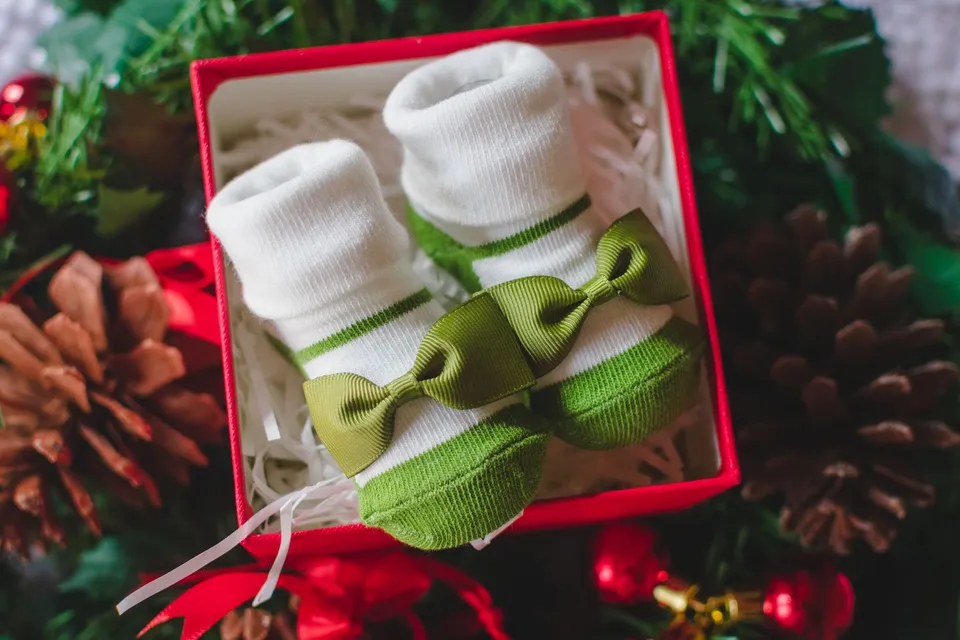
A tiny stocking with the baby's name
Hang it next to the others with a tag like “Baby Miller, coming in July.” Be ready to point at it.
The “World's Best Grandma” mug
Wrap a mug or a shirt and watch them work it out. Funny with parents who've been dropping hints; it falls flat if everyone opens gifts at once.
An ornament with the due date
They'll hang it every year after. If you order it online, leave time for December shipping.
A book for the baby
A picture book signed “To Grandma and Grandpa, see you in July.” It becomes the first book on the baby's shelf at their house.
A scratch-off card
Paper ones from Etsy work in person. The digital one in the example above opens on their phone, so it works the same at the table or 1,000 miles away.
If you won't be together for Christmas
Maybe you're spending this Christmas with the other side of the family, or a few states away. You can still be there when they find out.
Open it on a video call
Send the link right before you call and ask them to open it while you're on FaceTime. The card stays covered until they scratch it, so the moment happens with you watching.
Hide the QR code in their present
With Pro ($9.99) you get a QR code that opens the card. Print it inside a Christmas card or tape it to the box you're mailing, with “Scan me on Christmas morning.”
Tell them before anyone posts
Your parents should hear it from you, not from a cousin's post. The gift is private: only people with the link or the QR code can open it.

The link preview doesn't give it away either. In their chat list it says “Mom and Dad, scratch to find out,” not the news.
What to write in a Christmas pregnancy announcement
Three short messages for the letter after the reveal, each under the 400-character limit.
We've been keeping a secret since Thanksgiving. Next Christmas there'll be one more stocking to fill, and we can't wait to watch you two spoil them.
Good news: you don't have to get us anything this year. Bad news: starting in July, there's someone new on your list.
We're expecting a baby in July. We wanted you to hear it from us before anyone else, and we'd love to talk tonight.
For a laugh before the news, fill in “Fake prize (just for fun)” under “Customize,” for example with “a cruise.” The card says “Scratch to win a cruise,” and after scratching, “You didn't win a cruise…” If you leave “What gets revealed” empty, it finishes with “But there's a baby on the way.”
How to make it in a few minutes
- Open the example and tap “Use this example.” Change “Mom and Dad,” your names and the due date.
- Swap the photo for your ultrasound, or remove it. Under “Customize” you can change the trees in the squares, the colors and the text inside the envelope.
- Preview it and publish it. Making it is free; we only ask for your email, with a 6-digit code and no password.
- Pick a plan. Free opens once, within 24 hours of publishing, so publish it on Christmas Eve or Christmas morning. Pro ($9.99) and Premium ($19.99) don't expire; Premium also adds a question to open it, like the name of your first dog.
- Send the link, or the QR code with Pro, when you want them to open it.
If you'd rather start from a blank card, pick “Scratch to reveal” in Create.
How to make it with bemypresent
Pick how it opens
A birthday, an anniversary, Christmas, a memory album or a box with a surprise inside.
Make it yours
Add the names, your photos and a message. You see it exactly as they will, and it saves as you type.
Publish it
Confirm your email with a code, no passwords. We send you the link and its QR code, and you'll find it in your account on any device.
Share it
By text, on WhatsApp or with the QR code printed inside a card. They open it on their phone, no app needed.
Frequently asked questions
How do I announce my pregnancy to grandparents who live far away?
Have them open a link while you're on a video call. With Pro you also get a QR code to print inside a card for Christmas morning. There are more ideas in long distance pregnancy announcement.
Is Christmas too early to announce a pregnancy?
Many couples wait until after the first-trimester ultrasound, around 12 weeks, to tell everyone; some tell their parents earlier so they have support either way. The gift stays private until you share the link.
Will I know when they open it?
Not when they open it. If you add a final question, like “Will you be in the waiting room?”, you get their answer by email.
Do they need to download an app?
No. It opens in the browser on their phone or computer, and they don't need an account.
How much does it cost?
Making it and sending it to one person is free: on the Free plan it opens once, within 24 hours of publishing, and they can save it to keep. Pro is $9.99 and Premium $19.99, one payment per gift, and they don't expire.
You might also like
- How to tell your parents you're pregnant when they live far away
How to tell your parents you're pregnant when they live far away: a scratch-off card they open on FaceTime, ideas for long distance family and what to write.
- A digital pregnancy announcement for the people who should hear it first
Make a free digital pregnancy announcement online: a scratch-off card with their name that hides the news until they open it. For parents or a best friend.
Make it your own
Create my gift