How to make your girlfriend a surprise website without coding
A surprise website for your girlfriend is a link she opens on her phone: a cover with her name and your photo, a letter, a short line under each memory and one last sentence. You tell it what you want to say in your own words, the AI builds the page and you change anything that doesn't sound like you.
By bemypresent · Updated
The example
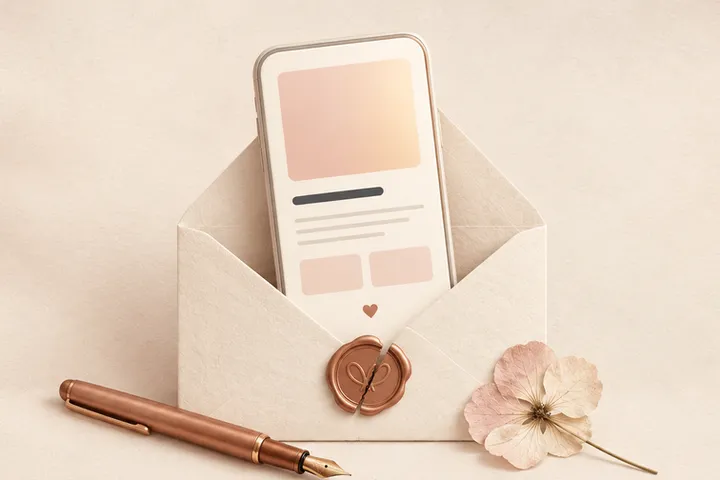
You can change all of it before you send it. Free, no sign-up.
What she sees when she opens the link
The link opens in her phone's browser, with nothing to install and no account. First an envelope with her name. Then a cover with your main photo and a title for her, your letter, each of your photos with a short line about that moment and a last sentence to close.
It's a page made only for her, and it stays up: with Pro she can open it again a year from now. That's the part a long text or a post can't do.
What to put on a surprise website for your girlfriend
Most people who make one say the hard part isn't the website, it's knowing what to put on it. Think of it in four parts:
- The cover: one photo of the two of you and a title that's only hers. “Two years this Saturday” works better than “Happy anniversary.”
- The letter: one memory with details only you two know, the small things you notice about her and what you want next. Three short paragraphs are plenty.
- The memories: 2 to 8 photos in the order they happened, each with a line she'll recognize. Inside jokes go here.
- The closing: one sentence she'll remember, not a summary of the letter.
- Write who it's for and how you sign it.
- Tell it what you want to say in your own words, even if it comes out messy. The AI turns it into the cover, the letter and a line for each photo, without seeing the photos.
- Add the cover photo and at least 2 more for the memories.
- Read it out loud and change every line she wouldn't hear in your voice.
- Pick a design, publish it and send her the link.
Surprise website ideas for every kind of moment
An anniversary
Put your memories in order, from the first date to last month. Seeing them one after another is the surprise.
Her birthday
Make it about her, not about the two of you: what she's like, what she taught you this year, what you want for her. Send it at midnight or first thing in the morning.
Just because
No date needed. A short page after a hard week, with three photos and a few lines, often lands harder than one for a big day.
A long distance surprise website
Send it before the next visit, about everything you'll do when you're together. For a longer letter with the same idea, see this digital love letter.
When a website isn't the best surprise
If you'll see her this week
A handwritten note in her bag or on the mirror is hard to beat. Your handwriting is part of the gift and she can keep it in a drawer.
If music is your thing
This page has no music. A shared playlist with a note on why each song is there says a lot, and you can send it next to the link.
If she loves to scroll through photos
When you have dozens of photos and fewer words, a digital scrapbook shows them one after another with a short letter.
If you want an answer
To ask her something, from a date to being your Valentine, a yes or no website fits better than a letter.
What to text her with the link

The link preview shows her name and the title, so the message around it can be short.
I made you something. Open it when you have five quiet minutes.
I built you a website. Yes, really. No, you can't ask for edits.
Saw this and thought of us. It's short, I promise.
What it costs
You can start for free and see the whole page before deciding anything. Because the AI helps write it, publishing it needs the Pro plan, a one-time payment of $9.99, not a subscription. With Pro the page never expires and doesn't carry the bemypresent signature.
How to make it with bemypresent
Pick how it opens
A birthday, an anniversary, Christmas, a memory album or a box with a surprise inside.
Make it yours
Add the names, your photos and a message. You see it exactly as they will, and it saves as you type.
Publish it
Confirm your email with a code, no passwords. We send you the link and its QR code, and you'll find it in your account on any device.
Share it
By text, on WhatsApp or with the QR code printed inside a card. They open it on their phone, no app needed.
Frequently asked questions
Can I make a surprise website for my boyfriend?
Yes. It works the same for a boyfriend, a wife or a husband: their name goes on the envelope and the page says whatever you tell it.
Do I need to know how to code?
No. You write what you want to say, add your photos and pick a design. There's no code and no hosting to set up.
Does she need an app to open it?
No. It's a link that opens in any phone or computer browser, and she doesn't need an account.
Can I add music or a video?
Not on this page: it has your photos and your words. If a song matters to you two, send it in the same message as the link.
Can I write it myself without the AI?
The AI writes the first version from what you tell it, and then you can change every line, the captions and the closing sentence before you publish. Nothing goes out until you send the link.
You might also like
- How to write your boyfriend a love letter he opens on his phone
Write a digital love letter for your boyfriend that opens like an envelope on his phone, with your photos and help with the words. Ideas for long distance too.
- How to make your boyfriend a scrapbook he opens on his phone
Make a digital scrapbook for your boyfriend: your photos one by one and a short letter, opened like an envelope on his phone. Free, no sign-up, with ideas.
- How to ask someone to be your Valentine with a link
Make a will you be my Valentine website with their name, a Yes and a No that runs away. Free to start, no code, and you get an email with their answer.
Make it your own
Create my gift