How to do a gender reveal online when the family can't be there
Make a digital scratch-off card that hides “It's a girl!” or “It's a boy!”, get everyone on a video call and have them scratch it at the same time. Each person opens it in the browser on their phone, with no app, and you watch every face as the color shows up. You can make it for free in a couple of minutes.
By bemypresent · Updated
The example
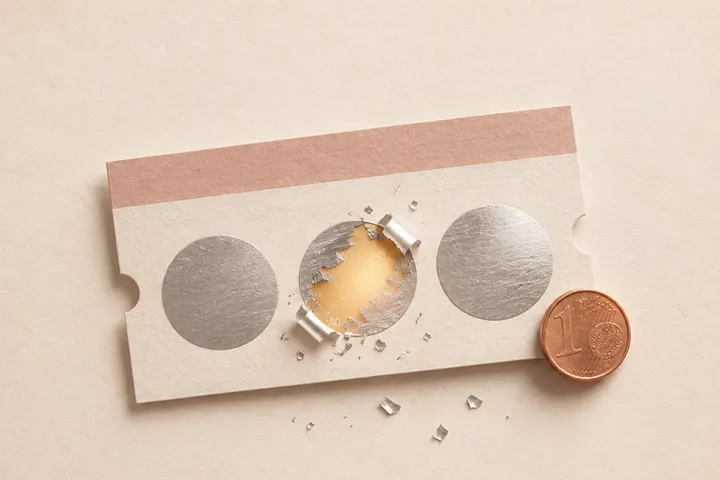
You can change all of it before you send it. Free, no sign-up.
How to do a virtual gender reveal on a video call
- Start from the example on this page, pick boy or girl and add the due date. The color of the reveal changes with your answer.
- Write the line on the envelope. “Scratch together on the call” keeps anyone from opening it early.
- Add a short letter and, if you want, a question at the end with a Yes and a No.
- Publish it by confirming your email with a 6-digit code.
- Start the call, send the link and count down. Everyone scratches at once, and you see who screams first.
The link preview says “Nana and Pop, scratch to find out,” not the answer, so it's safe to send a few minutes early.

Online gender reveal ideas for family far away
One link per family member
With the Pro plan ($9.99, one payment per gift), the same card goes to up to 30 people and each one gets their own link, with their name. Grandparents, aunts and your college roommate can all scratch on the same call.
When half the family is asleep
If your in-laws are eight hours ahead, a live call isn't going to happen for everyone. Send the link with “Scratch when you wake up and call us,” and get their reaction in the morning. If they answer the question at the end, the reply reaches you by email.
Keep it closed until the day
With Premium ($19.99), the link stays locked until the date you pick. You can send it to everyone on Friday and have nobody see the color before Sunday's call.
Ask them something after the reveal
A final question gives the card a second moment: “Will you help us pick her middle name?” or “Will you be there when he's born?” They tap Yes or No, and you get the answer.
Ideas that don't need a link
Cut the cake on Zoom
The simplest virtual gender reveal in the pregnancy forums: everyone on the call, you cut a cake with pink or blue inside. It works best when the family is happy to just watch.
A box with colored paper
Mail a small box filled with pink or blue shredded paper and a card with the baby's name, if you've picked one. Ask them to open it on the call. It needs the mail to arrive on time.
Tell the grandparents first, privately
Some couples call their parents before the big reveal so they get their own moment. Then the online reveal is for everyone else, and Nana can play along.
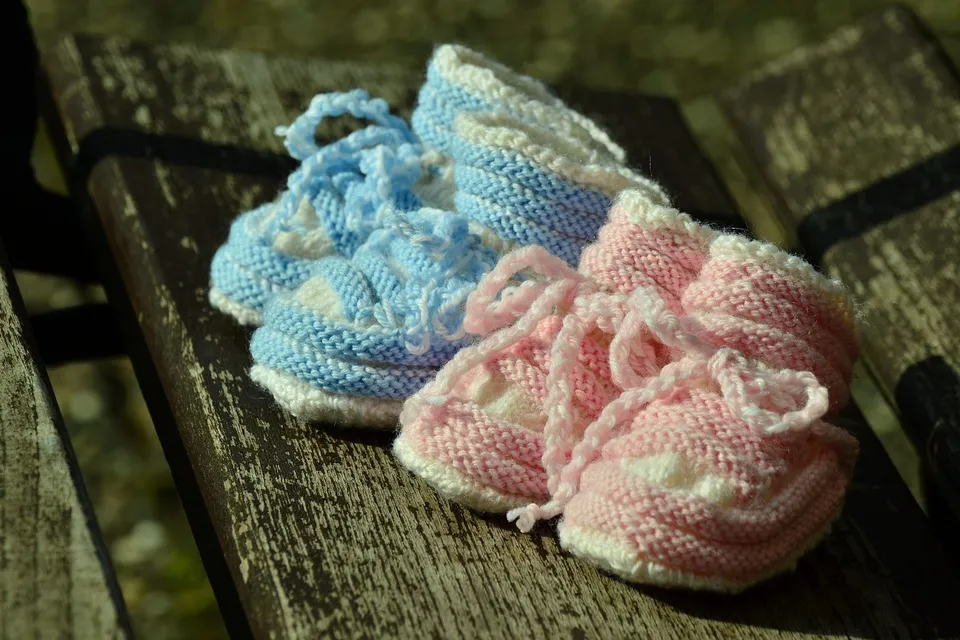
What to write on a digital gender reveal
You've been guessing since the first ultrasound. Scratch it and see who wins the family bet.
Dad, you said you'd be happy either way. Now's your chance to prove it.
You're the first person I'd call about this, and you're 1,500 miles away. So scratch it and then call me.
Before you send it
On the Free plan, the card goes to one person and opens once, within 24 hours of publishing. Whoever opens it can save it to keep. Don't drop that link in the family group chat: only the first person to open it would see it. For everyone on the call, it's Pro. If you're also announcing the pregnancy from far away, there are ideas in long distance pregnancy announcement.
How to make it with bemypresent
Pick how it opens
A birthday, an anniversary, Christmas, a memory album or a box with a surprise inside.
Make it yours
Add the names, your photos and a message. You see it exactly as they will, and it saves as you type.
Publish it
Confirm your email with a code, no passwords. We send you the link and its QR code, and you'll find it in your account on any device.
Share it
By text, on WhatsApp or with the QR code printed inside a card. They open it on their phone, no app needed.
Frequently asked questions
How do you do a gender reveal virtually?
Get the family on a video call, send them a digital scratch-off card and have everyone scratch at the same time. The color and “It's a girl!” or “It's a boy!” show up under the scratch-off.
Is there a free online gender reveal?
Yes. On the Free plan you can make it and send it to one person, and it opens once within 24 hours of publishing. To send it to several people, each with their own link, it's Pro ($9.99).
Do they need an app or an account?
No. It opens in the browser on their phone or computer.
Will they see the answer before they scratch?
No. The link preview shows their name and “scratch to find out,” and the envelope only shows the line you write.
You might also like
- How to tell your parents you're pregnant when they live far away
How to tell your parents you're pregnant when they live far away: a scratch-off card they open on FaceTime, ideas for long distance family and what to write.
- A digital pregnancy announcement for the people who should hear it first
Make a free digital pregnancy announcement online: a scratch-off card with their name that hides the news until they open it. For parents or a best friend.
Make it your own
Create my gift